An invoice sits unpaid for a week, and the usual reaction is to assume the customer is avoiding payment. In many cases that's not what happened at all. The invoice got buried in an inbox, forgotten during a busy week, or lost between two other bills. A good invoice payment reminder schedule fixes that version of the problem before it turns into an awkward phone call.
But not every unpaid invoice is a simple oversight. Some are disputed: the customer thinks the amount or the work is wrong. A smaller number are deliberate nonpayment, where the customer has decided not to pay and no reminder is going to change that. Treating all three situations the same way, with the same escalating texts, wastes time on the ones that need a conversation instead of a message.
This guide covers a reminder schedule and ready-to-use payment reminder email and text wording for the forgotten-invoice case, which is most of them, plus how to spot the other two and when to stop automating altogether.
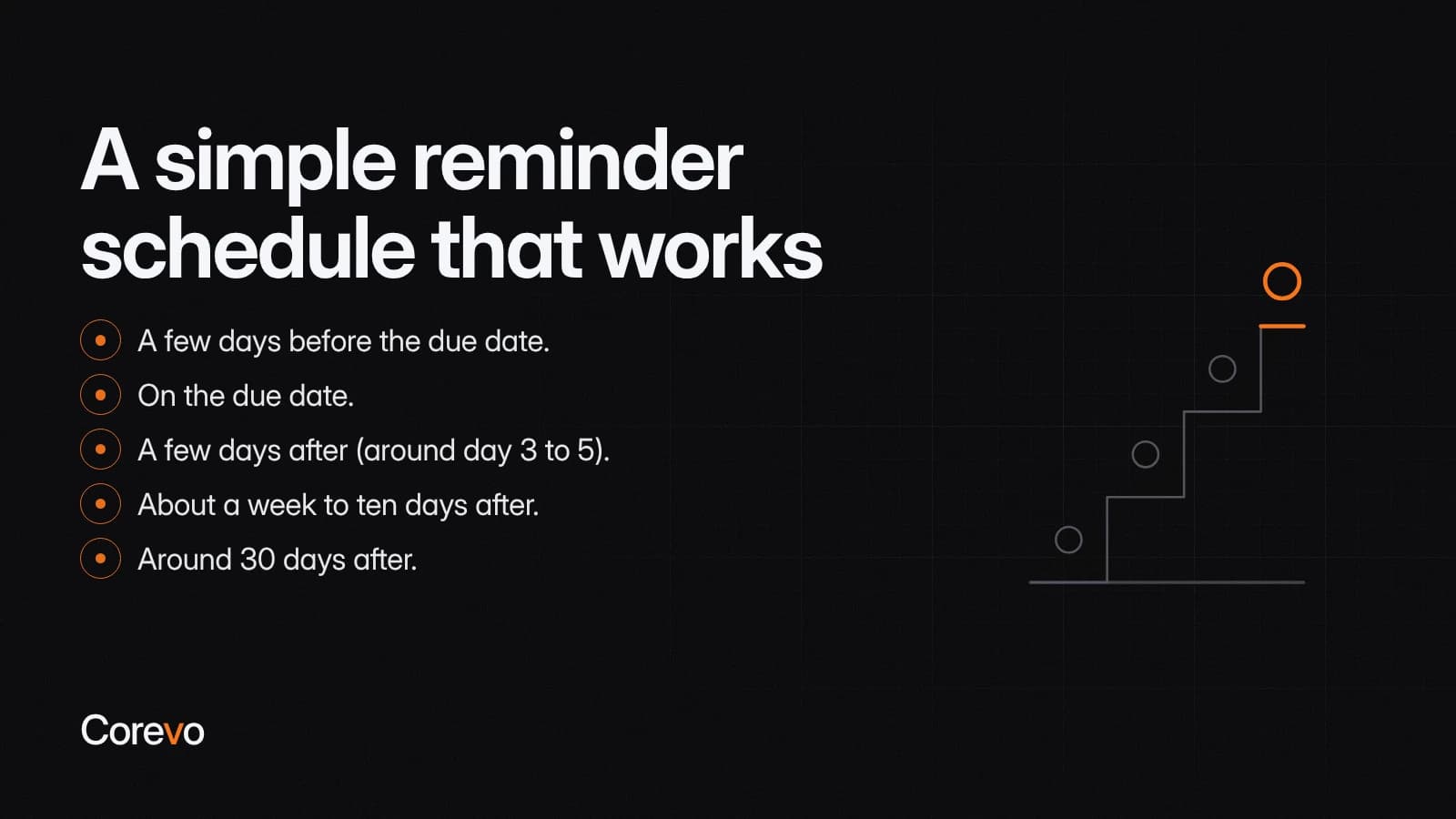
A simple reminder schedule that works
Think of reminders as a ladder. Each one is a little firmer than the last, and most customers who were simply late pay somewhere on the early rungs.
- A few days before the due date. A short, friendly heads-up. No pressure, just information.
- On the due date. A plain reminder that payment is due today, with the amount and a way to pay.
- A few days after (around day 3 to 5). Still polite, but now acknowledging the invoice is late.
- About a week to ten days after. Firmer in tone, with a clear next step if payment does not come through.
- Around 30 days after. A final written notice before you decide on a next step, such as a phone call, a late fee if your terms allow one, or a collections process.
These intervals assume fairly typical net-15 or net-30 payment terms. If your invoices are due on receipt, net-60, or something else, shift each stage to line up with your actual terms rather than a generic calendar.
You don't need to send every rung for every invoice. Many customers pay after the first or second message, and a schedule like this can catch a lot of the ones that would otherwise sit forgotten. It won't resolve a dispute, and it won't collect from someone who has decided not to pay, which is why those two situations need a different path than the next automated text.
When nonpayment isn't about forgetting
Two situations don't belong in the automated ladder above.
A disputed invoice isn't a delay, it's a disagreement about what's owed. If a customer replies questioning the amount, the work, or the invoice itself, pause the reminders for that invoice and route it to whoever can actually resolve the dispute. Sending a firmer automated text to someone who believes they were overcharged tends to make things worse, not better.
Deliberate nonpayment is less common, but it shows up: reminders go fully unanswered through the firmer stages, a phone call doesn't change anything, and the customer simply isn't going to pay without a different kind of pressure. At that point, move the account out of the routine schedule and into whatever next step your business uses for serious collections, rather than continuing to send the same message on a loop.
Payment reminder email examples
Keep the tone matched to the stage. Early reminders should sound like a helpful nudge. Later ones should sound calm and direct, not angry.
Before the due date
Subject: Invoice [Invoice number] is due soon
Hi [Name],
Just a quick note that invoice [Invoice number] for [Amount] is due on [Due date]. You can pay using the link below.
[Payment link]
Let us know if you have any questions about the invoice.
Thanks, [Your name]
On the due date
Subject: Invoice [Invoice number] is due today
Hi [Name],
This is a reminder that invoice [Invoice number] for [Amount] is due today. You can pay here:
[Payment link]
If you have already sent payment, thank you, and please disregard this message.
[Your name]
Past due
Subject: Invoice [Invoice number] is now past due
Hi [Name],
Our records show invoice [Invoice number] for [Amount], originally due [Due date], is still outstanding. You can take care of it here:
[Payment link]
If something came up or you need to make different arrangements, reply to this email and we will work with you. Otherwise, please send payment as soon as you can.
[Your name]
Payment reminder text examples
Texts work best when they are short and skip the backstory. Keep them to a sentence or two and make a habit of including a payment link in each one.
Text reminders only work if the sending number is actually cleared to send business texts. In the US, carriers generally expect a business number to be registered, through A2P 10DLC for local numbers or toll-free verification for toll-free numbers, before automated texts go out, and skipping it is a common reason texts get delayed or blocked. Ask your texting provider what your number needs, and confirm the customer has agreed to be texted, before adding text reminders to your schedule.
Before due date: "Hi [Name], this is [Business name]. Invoice [Invoice number] for [Amount] is due on [Due date]. Pay here: [Payment link]"
On due date: "Hi [Name], invoice [Invoice number] for [Amount] is due today. Pay here: [Payment link]. Thanks!"
Past due: "Hi [Name], invoice [Invoice number] for [Amount] was due [Due date] and is still open. Please pay here when you can: [Payment link]. Call us if you have questions."
Make it easy to pay
A reminder only works if paying is faster than ignoring it. A few habits make a real difference:
- Put the payment link in each reminder, not just the first one.
- State the exact amount and invoice number in each message, so the customer does not have to dig through old emails.
- Accept the payment methods your customers actually use. If most of your customers pay by card, make sure a card option is front and center.
- Keep the invoice itself simple: what was done, when, and how much is owed.
The fewer steps between reading the reminder and paying the bill, the more invoices get closed out without any back and forth.
When to pick up the phone
Text and email cover most situations, but there is a point where a phone call works better than another message. Consider calling when:
- Two or more reminders have gone unanswered.
- The invoice is high value enough that a quick personal check-in is worth the time.
- The customer has a history of needing a nudge by phone rather than by text.
- The invoice is approaching the point where you would otherwise send a final notice.
When you do call, keep the opener simple and low pressure: "Hi [Name], I wanted to check in on invoice [Invoice number] for [Amount]. Did that come through okay, and is there anything you need from us to get it paid?" That framing gives the customer an easy way to explain a delay without feeling cornered, and it gives you useful information if the invoice really is disputed.
When to stop chasing unpaid invoices
Chasing an invoice past a certain point wastes staff time and strains a relationship for little benefit. Set a clear cutoff, such as 30 to 45 days past due, after which the routine reminders stop and a different process begins. That might mean a final written notice, a late fee if your contract or invoice terms allow one, or moving the account to a collections process.
Rules around late fees, interest charges, and collections practices vary by state and by industry, and this article isn't legal advice. If an account moves toward formal collections, that's also the point to ask your attorney or messaging provider how your state treats collection-related calls and texts, including any required disclosures, consent, or timing restrictions, before you send anything further.
Letting automation carry the routine reminders
The schedule above works whether you send every message by hand or set it up once and let it run. A workflow can send scheduled emails and texts at the intervals you choose and keep the wording consistent no matter who is covering the front desk that week. Skipping customers who have already paid depends on the invoicing and payment status staying current in that workflow: if a payment comes in by check, cash, or a phone call that doesn't get logged right away, the status can lag, and a paid customer can still receive a reminder, so it's worth a quick spot-check before the firmer, later-stage messages go out. If you want a reminder schedule like this run as follow-up workflows, Corevo can configure it in CommandCenter, and whether it can read paid status from your invoicing tool is something to confirm during setup. For more on the kinds of front-desk tasks worth automating, see this guide to front desk overload.
Whatever invoicing or payment tool you already use to generate the invoice and collect payment, the reminder schedule and wording above work the same way. The goal isn't a new system to learn. It's a short, repeatable sequence that gets invoices paid without anyone dreading the next phone call.